Point and Speak to File Bugs to Linear and GitHub
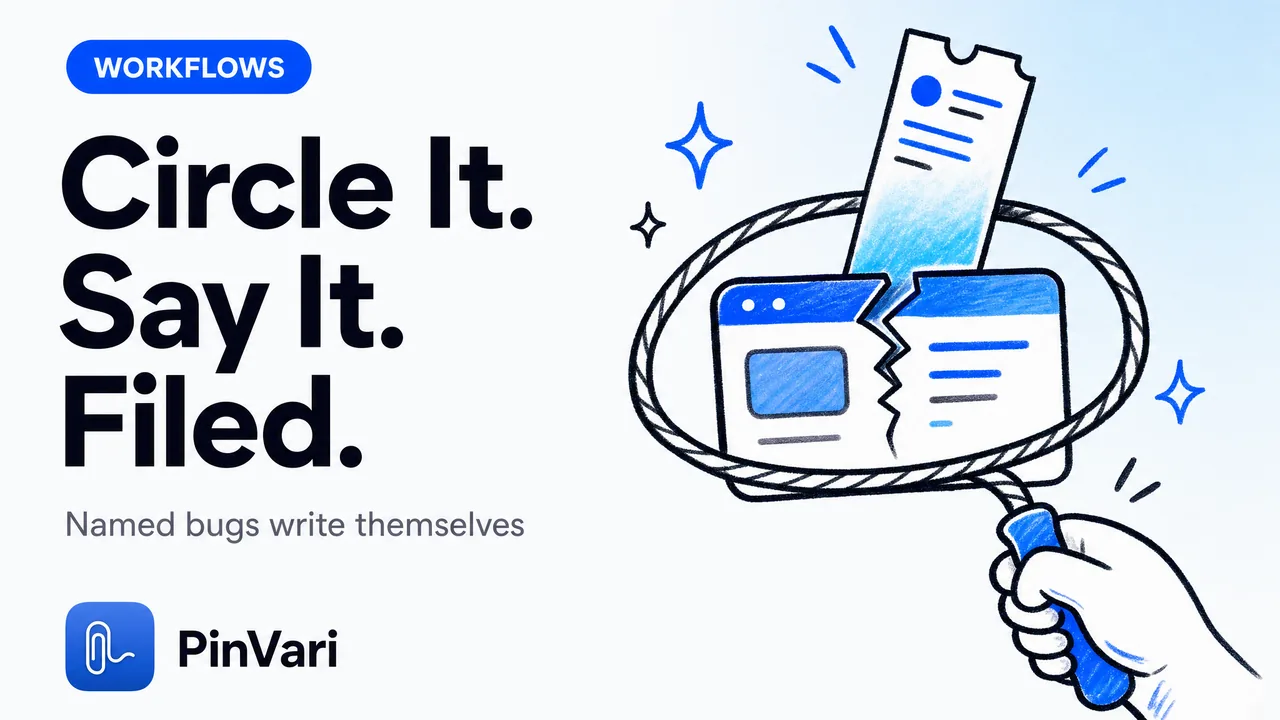
File a bug to Linear from a screenshot and voice on Mac: hold ⌥⌘A, circle the broken UI element, and speak what's wrong — PinVari screenshots it, transcribes your voice on-device, and resolves the exact named accessibility element you circled into a ready-to-file ticket. The result is a Linear issue (or a GitHub issue, or a Slack message) that names the control by its role and label, with a confidence score and a screenshot cropped to the region you drew, instead of "the button near the top."
Most bug-capture tools stop at pixels. They hand your agent or your tracker a rectangle and hope the reader guesses which of six near-identical buttons you meant.
Naming the element is the part everyone skips, and it decides whether the fix lands on the right thing.
How do you file a bug to Linear from a screenshot and voice on Mac?
The whole loop is one hotkey and one sentence. Press ⌥⌘A, draw a freehand loop around the thing that's broken — not a forced rectangle — and say what you'd say to a teammate: "this toggle doesn't save state on reload."
PinVari grabs the screenshot the instant your first mark goes down, so the image matches what you circled. It transcribes your speech with Apple's on-device engine.
And it reads the UI element under your loop through the macOS Accessibility API, pulling the element's role, label, and frame.
That gives the ticket three things a plain screenshot never has: the named element, the words you spoke, and the region you drew. Press ⏎ or ⌥⌘A again to finish.
The capture lands in a dark notch island HUD, and from there it files to your tracker.
The gap between "there's a bug here" and "the AXCheckBox labeled Auto-save drafts in Settings doesn't persist on reload" is the gap between a ticket someone reproduces from scratch and one they can fix. PinVari writes the second kind because it resolved the element, not the pixels.
Why is naming the element the whole point?
macOS exposes the UI element under any screen coordinate through AXUIElementCopyElementAtPosition, which returns the element's role, title, value, and parent chain. So when you circle something, PinVari asks the system "what is actually here" and gets a named answer back — a checkbox, a text field, a specific labeled button — instead of a crop it has to describe.
The engineering is honest about its own edge cases. PinVari's overlay is topmost, so a naive hit-test resolves to PinVari's own window.
It runs chainExcludingSelf, which walks the on-screen window list and hit-tests the real app underneath.
Electron and Chromium apps build their accessibility tree lazily, so the first hit often comes back empty. PinVari sets AXManualAccessibility and retries for about 150ms until a labeled element appears.
When your loop lands on a bare AXGroup with no name of its own, labeledDescendant descends to the deepest labeled child, and Chromium identity attributes like AXDOMIdentifier give a title-less node something to be called.
The ticket carries the real element path, so whoever picks it up — or the agent that fixes it — knows exactly which control is broken. This is the same resolution work that lets an agent know which UI element you mean from a spoken "this."
What does a resolved bug ticket actually contain?
Here's what travels with a single capture, versus what a screenshot tool sends.
| Field | Plain screenshot bug tool | PinVari capture |
|---|---|---|
| Image | Full or cropped screenshot | Screenshot cropped to the region you circled |
| Target | A rectangle | Named AX element: role, label, parent chain |
| Certainty | None | Confidence score (asks below 0.8) |
| How it was marked | Not recorded | Provenance: circled vs dwelled |
| Words | Typed later, if at all | On-device transcript of what you said |
| Context | None | Window's full text, real browser URL via AXWebArea |
| "this" / "that" | Ambiguous | Bound to the element the pointer was on when you said it |
The confidence score does more work than it looks. PinVari attaches a number to every resolution, and below 0.8 it asks you to confirm the element instead of silently filing the wrong one.
A tool that always sounds certain is confidently wrong a fraction of the time, and in a bug tracker that means a fix applied to the wrong component.
Provenance is the other quiet win. Each target is tagged circled (you deliberately drew around it — trust it) or dwelled (the cursor passed over it while you spoke).
Your reader knows what you meant to point at versus what you merely swept past.
How does it know which "this" I meant?
You talk in deixis — "move this up, and this label is wrong." PinVari records a timestamped pointer trail during the capture, so it knows where your pointer was at the instant each word left your mouth.
When you say "this," it binds the word to the element under the pointer at that timestamp. The capture that reaches your tracker or agent lists the controls the pointer moved over, in order, each marked circled or dwelled with a confidence number.
Circle more than one thing in a single capture. Loop the broken toggle and say "this doesn't save," then loop the mislabeled field and say "and this should read Email." PinVari splits it into a numbered task list, one item per circle, and the annotated screenshot carries matching badges so nothing gets crossed.
For AX-blind surfaces — a canvas, a game, some Electron views where the tree stays empty — PinVari falls back to on-device Vision OCR, reading the visible text inside your circled crop to name the region. You still get a label; it just came from pixels read locally instead of the accessibility tree.
That's why it reaches native Mac apps and IDEs a browser-only tool like Jam.dev can't touch.
Does it only file to Linear, or also GitHub and Slack?
All three, plus a shareable page — and, separately, your own coding agent. A resolved capture is a portable object, so the same circle-and-speak can turn a screenshot into a GitHub issue, drop a voice bug report into Linear, or post to Slack for triage.
That's the routing choice you make per capture. A QA engineer running through a client build files spatial bug captures straight to the tracker.
A developer mid-session sends the same capture to their agent instead.
When it goes to an agent, it travels over a local MCP server on 127.0.0.1. You run claude mcp add --scope user pinvari -- "$HOME/.pinvari/mcp/pinvari-mcp", and your agent — Claude Code, Cursor, Codex, or Zed — calls pinvari_next_instruction to pull the oldest capture you haven't handled: the resolved element path, your spoken instruction, the region you circled, and the cropped screenshot, framed as an executable task.
It fixes the bug, then calls pinvari_mark_done. Your agent, your keys, your machine.
Is anything uploaded when I file a bug this way?
By default, nothing. Transcription runs on Apple's on-device speech frameworks, OCR runs on-device Vision, and element resolution is a local Accessibility call. No API keys, nothing uploaded by default — you bring your own agent or LLM.
When you file to Linear or GitHub, the ticket goes to that service because you chose to send it there, the same as pasting a screenshot into their web app. The resolution that produced the named element and the transcript already happened locally, before anything left your Mac.
So even when you file a bug to Linear from a screenshot and voice on Mac, the analysis of what's on screen never leaves the machine.
The macOS App Store sandbox forbids the global hotkey (CGEventTap) and reading other apps' AXUIElement, which is the entire mechanism here. PinVari ships as a notarized Developer-ID DMG, direct download — not the Mac App Store. A sandboxed build physically cannot resolve the element under your cursor.
How is this different from CleanShot or a browser bug tool?
CleanShot X is the best screenshot tool on the Mac and has zero understanding of what's on screen — it captures a beautiful rectangle and stops. Browser tools like Jam.dev capture excellent console logs but can't see a native macOS app, an IDE, or an Electron window.
Marker.io annotates websites for agencies but has no voice and no native apps.
PinVari is the layer that reads what is under the loop and turns it into a named ticket, across any app that exposes accessibility — which on the Mac is nearly all of them, and OCR covers the rest. It runs on macOS 14+, on Apple Silicon and Intel, and the core app is a one-time $39 launch price for the first 500 licenses through Polar as merchant of record, not a subscription.
The pricing and download are here.
The mechanism underneath — resolving the named element under a point via the macOS Accessibility API — is the same one screen readers use, aimed at bug capture instead. That's why the ticket can say which control, not just where.
FAQ
How do I turn a screenshot into a GitHub issue on Mac?
Hold ⌥⌘A, circle the broken element, and speak the problem. PinVari resolves the named accessibility element, transcribes your voice on-device, and files a GitHub issue that names the control and attaches the cropped screenshot — no manual typing of what's wrong.
Can I file a voice bug report to Linear without touching the keyboard?
Yes. After the ⌥⌘A hotkey the whole report is spoken — PinVari transcribes on-device, resolves the element you circled, and routes the finished ticket to Linear. There's also ⌥⌘V for a voice-only capture when you don't need to point at anything.
Does point-and-speak bug capture work in native Mac apps and IDEs, not just the browser?
Yes, that's the main reason it exists. It resolves elements through the macOS Accessibility API in any app that exposes it, and falls back to on-device OCR on canvas or Electron surfaces where the tree is empty, so IDEs and native apps are covered where browser-only tools stop.
What happens if PinVari isn't sure which element I circled?
It attaches a confidence score to every resolution, and below 0.8 it asks you to confirm the element rather than filing the wrong one. Each target is also tagged circled (deliberate) or dwelled (passed over), so the ticket never overstates what you pointed at.
Is my screen data sent to a server when I capture a bug?
No. Transcription, OCR, and element resolution all run on-device with no API keys and nothing uploaded by default. Data only leaves your Mac when you choose to file the ticket to Linear, GitHub, or Slack — the same as sending any screenshot to those services.
Can my AI coding agent act on the bug instead of a human?
Yes. Run claude mcp add --scope user pinvari -- "$HOME/.pinvari/mcp/pinvari-mcp", and your agent pulls the resolved element, your spoken instruction, and the cropped region over a local MCP server on 127.0.0.1, then marks it done when the fix lands. Claude Code, Cursor, Codex, and Zed are supported, using your own keys.
Hand your agent the exact element
PinVari resolves what you point at into a named, executable instruction — on-device, no keys, your own agent. One click inside PinVari connects Claude Code, Cursor, VS Code or Codex — or paste one CLI line from pinvari.com/connect.
PinVari → Connect → your agent (one click)Get PinVari — $39 →


